INSTANT

CARD PAYMENT

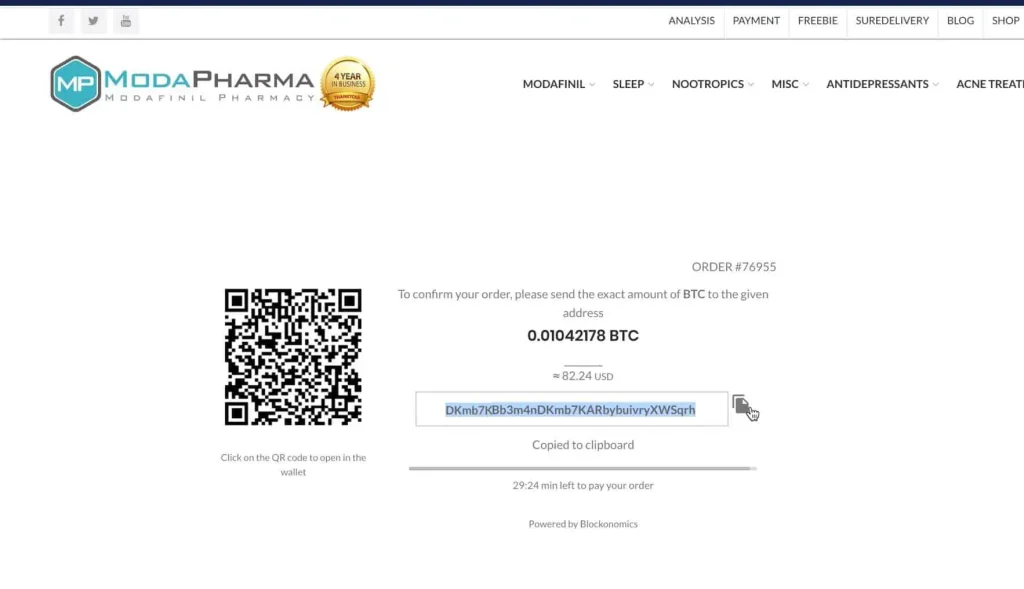
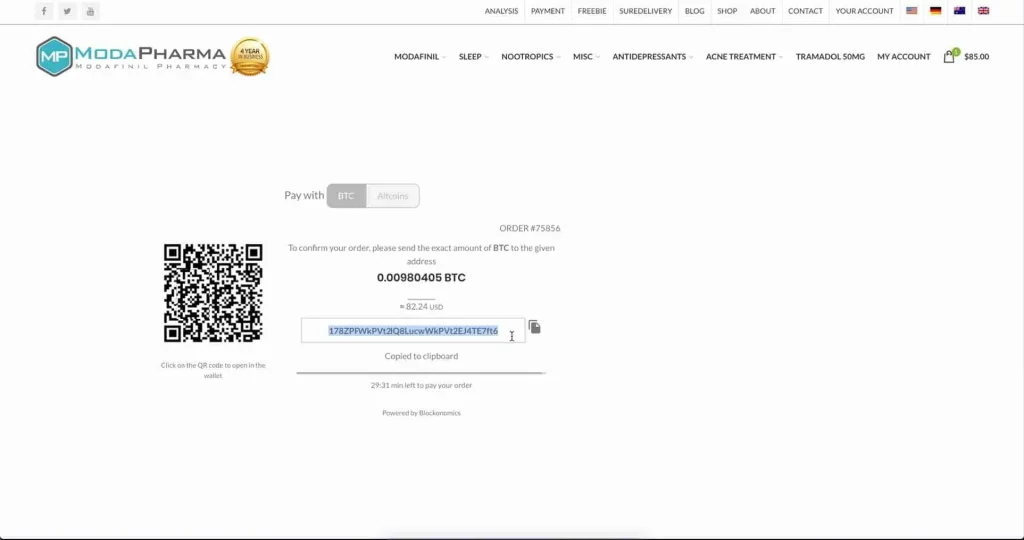
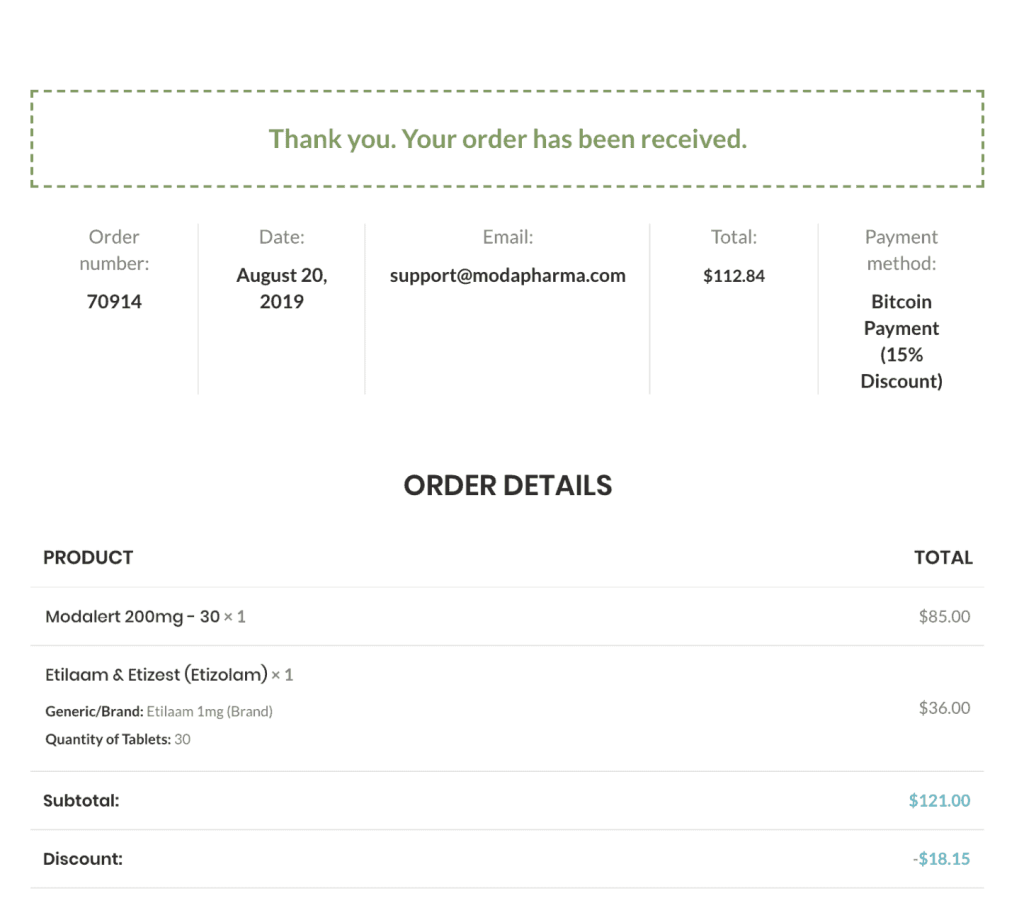
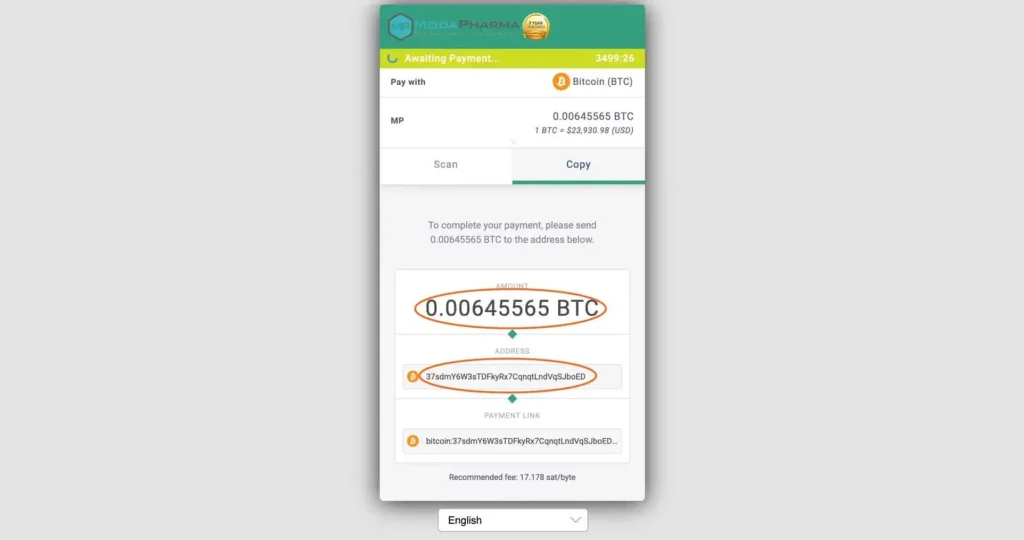
Copy and paste - the rest is a simple credit card payment.

Credit Card & Bank Transfer

VISIT BITNOVO

STEP 1

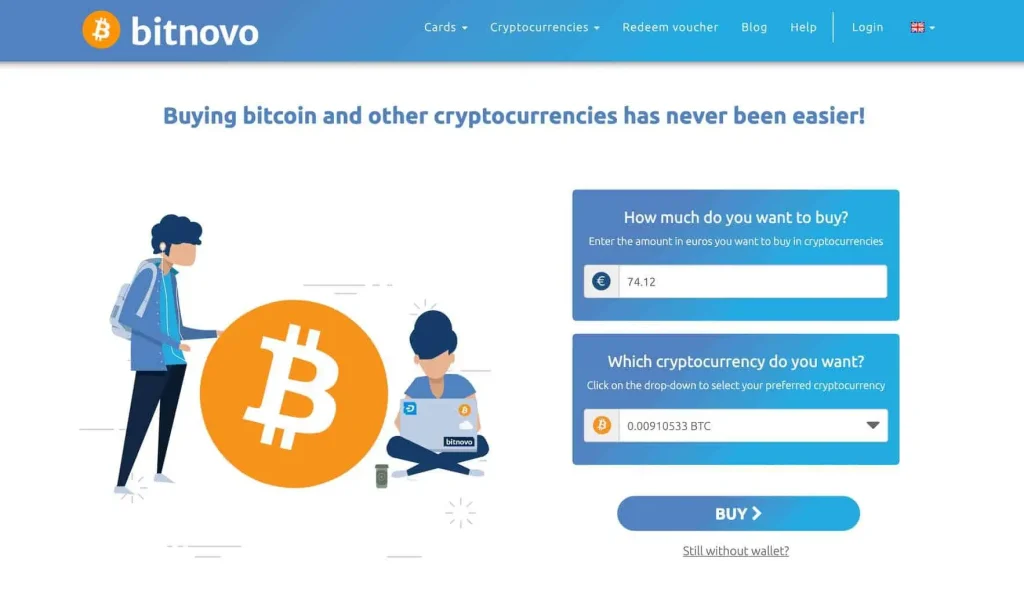
Visit Bitnovo.com/buy-criptocurrencies-bitcoin-en and enter the amount you would like to pay in EUROS, then select BITCOIN from the drop down and click ``BUY``.

STEP 2

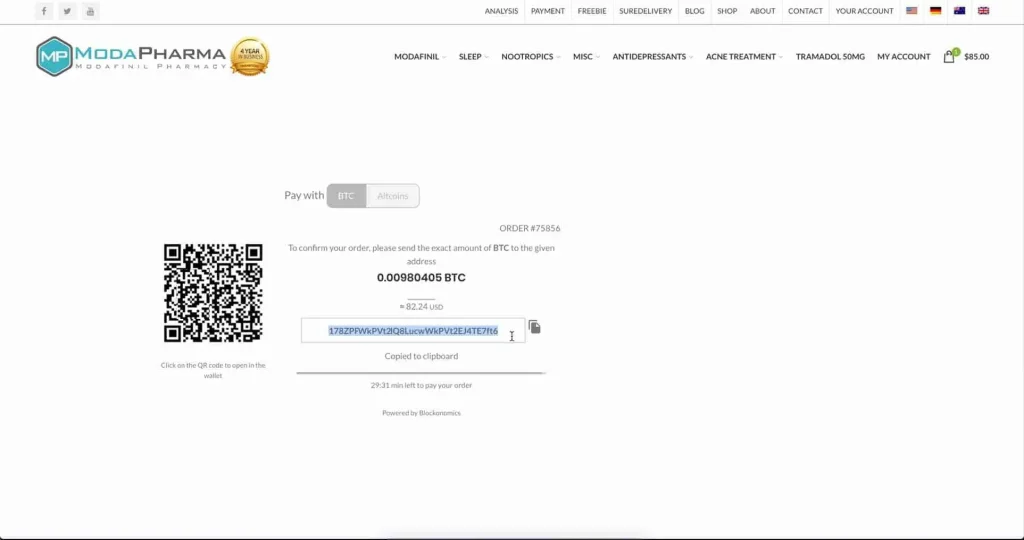
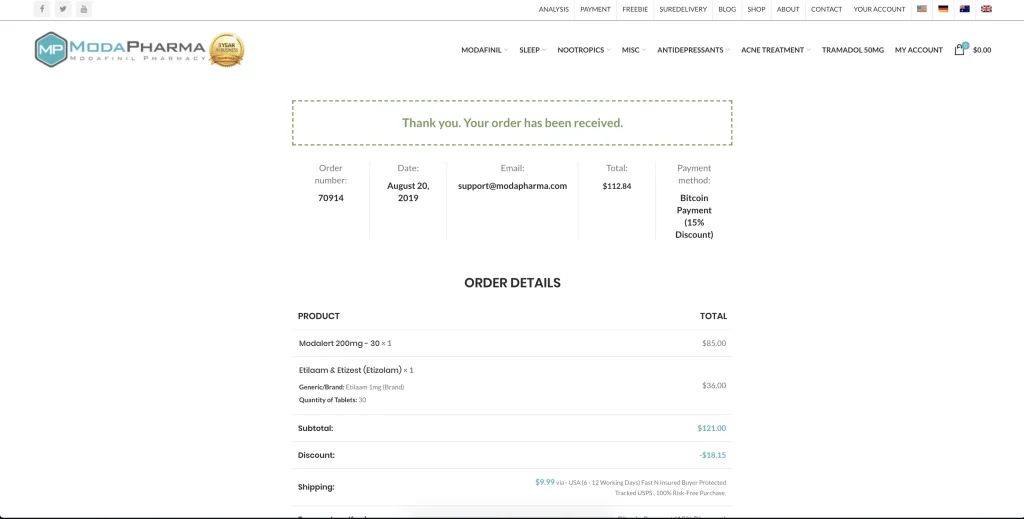
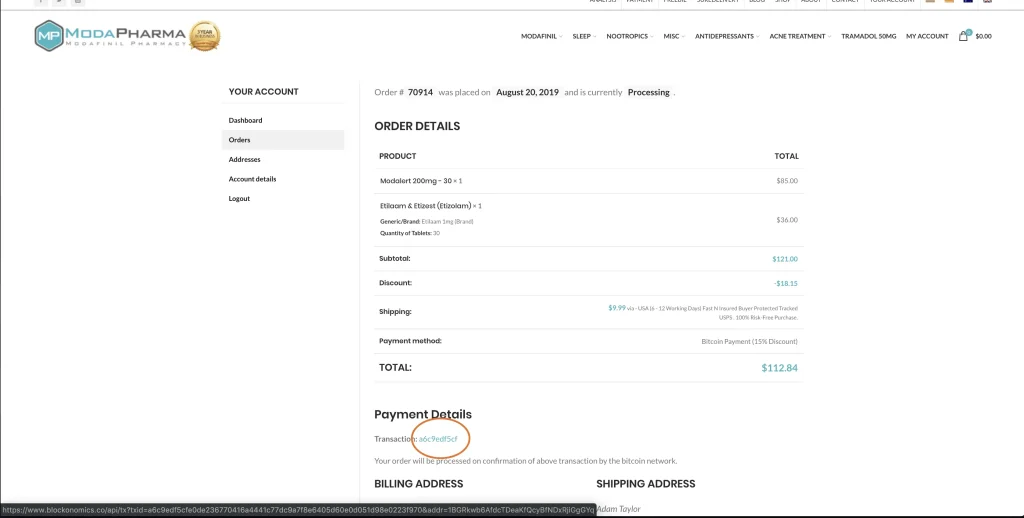
Copy the BITCOIN ADDRESS from the ModaPharma invoice and PASTE it directly onto Bitnovo - where it says ``Your Wallet``. Then, enter your phone number and name, select ``DEBIT / CREDIT CARD`` and click ``CONTINUE``.

STEP 3

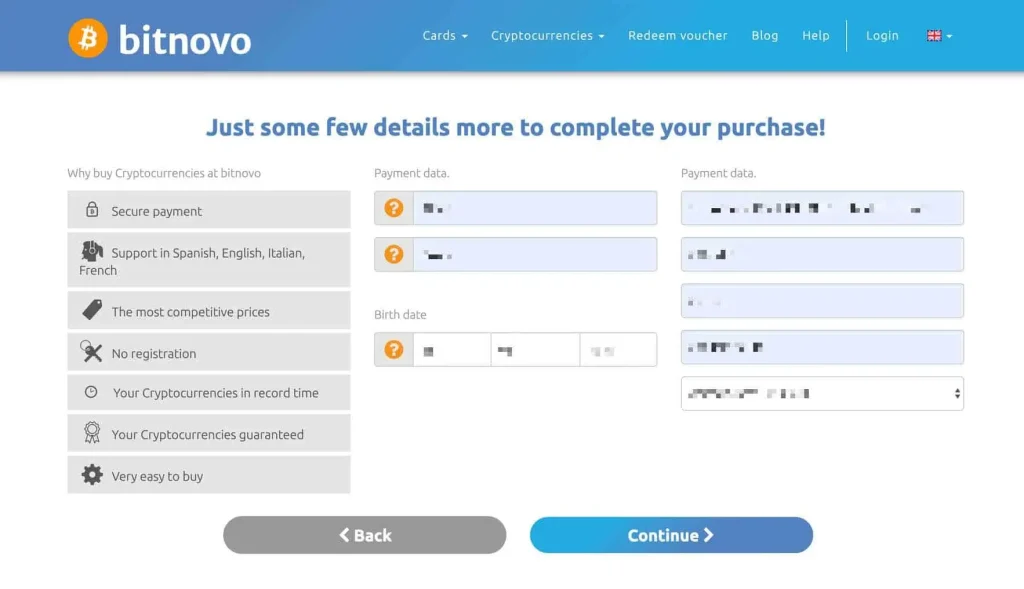
Enter your full name, date of birth and billing address, then click ``CONTINUE``.

STEP 4

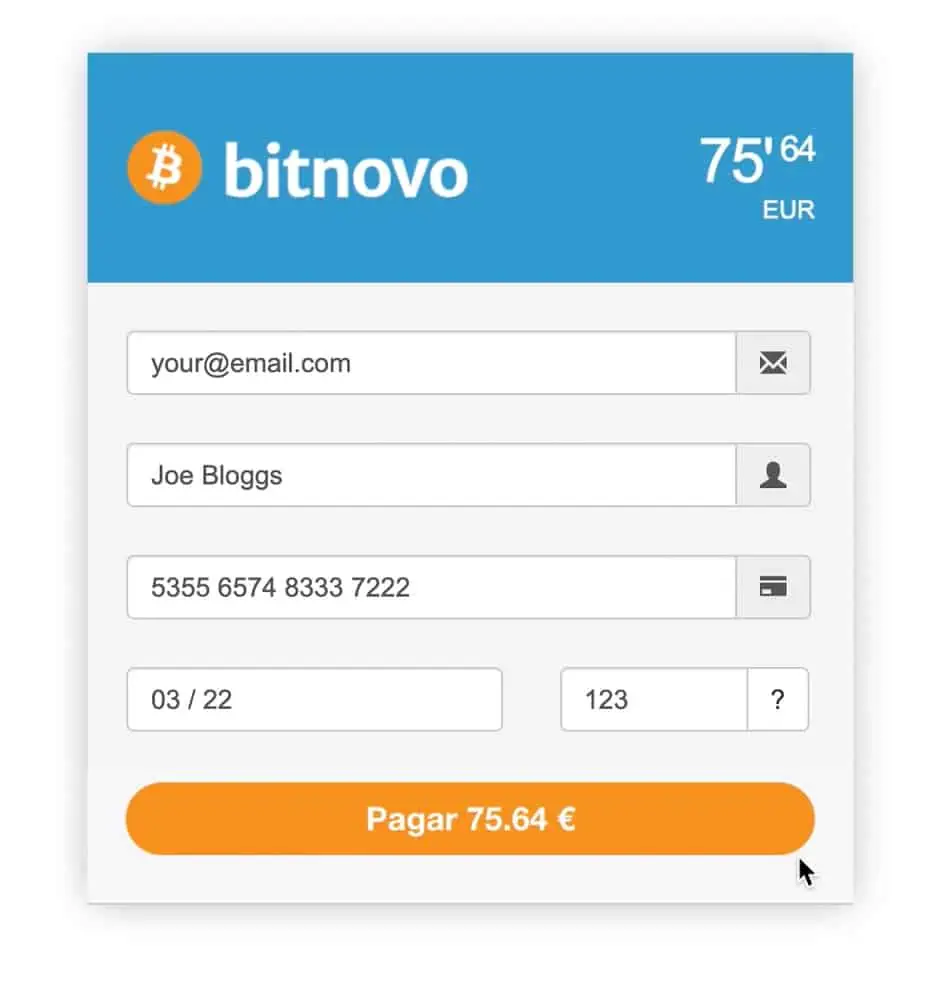
Fill in your card payment details and click ``PAGAR``.

STEP 5

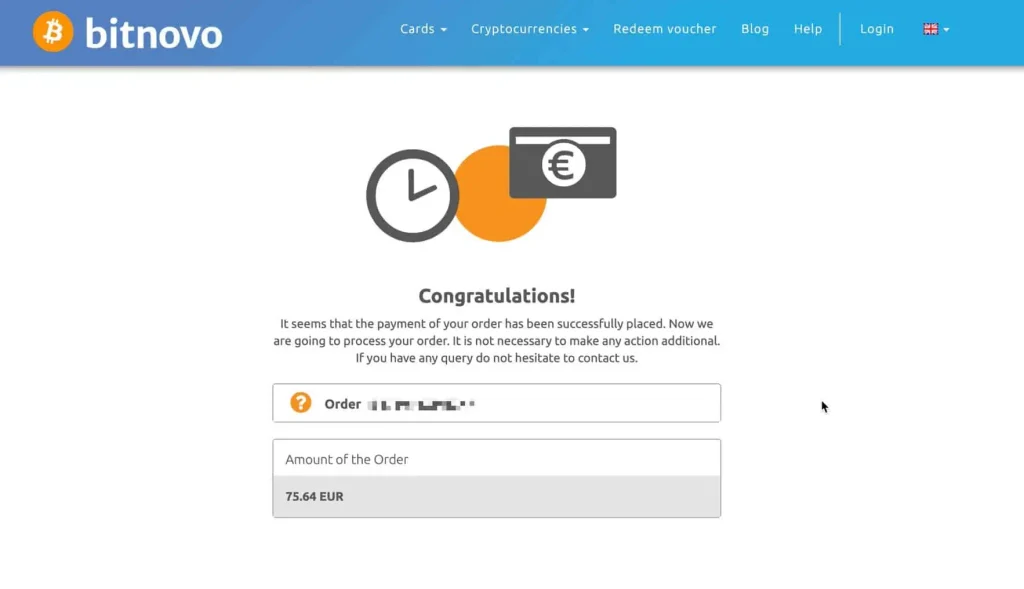
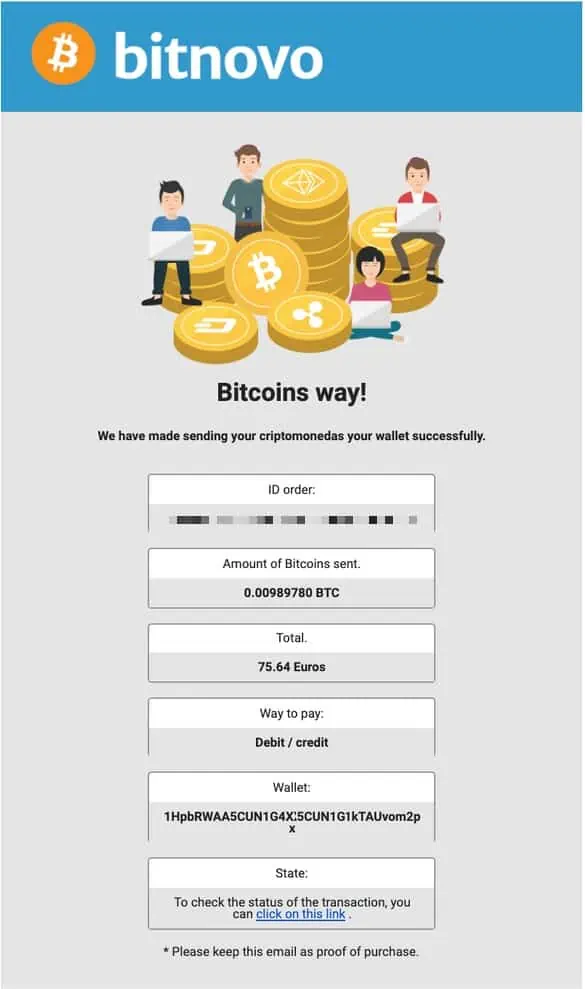
Please wait while your payment is processed, until you see this confirmation page.

STEP 6

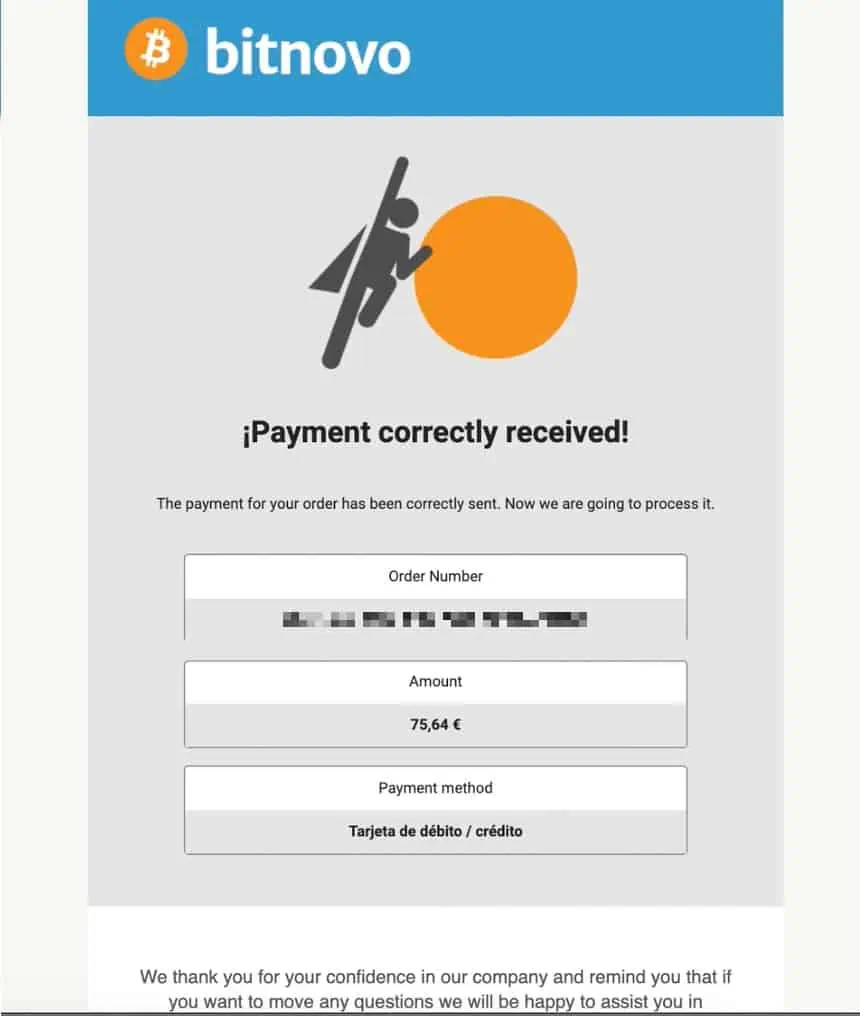
You will receive an email confirming that your payment has been received. Your card has now been charged.

STEP 7

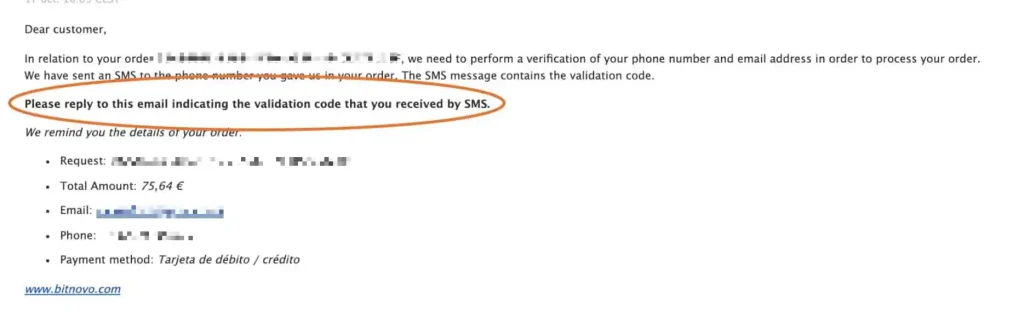
You will receive an email asking to validate your phone and email. Please REPLY to this email with the validation code sent to you via text.

STEP 8

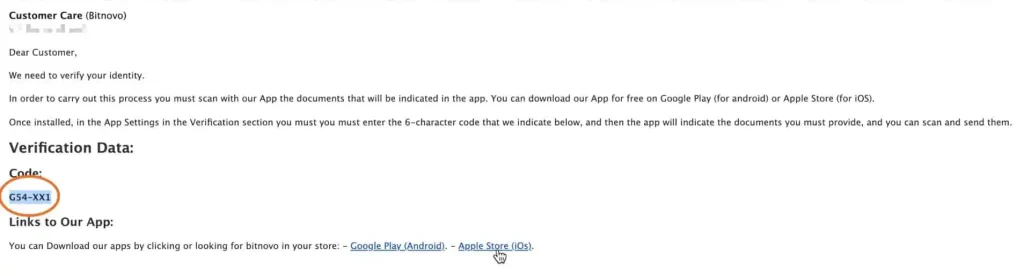
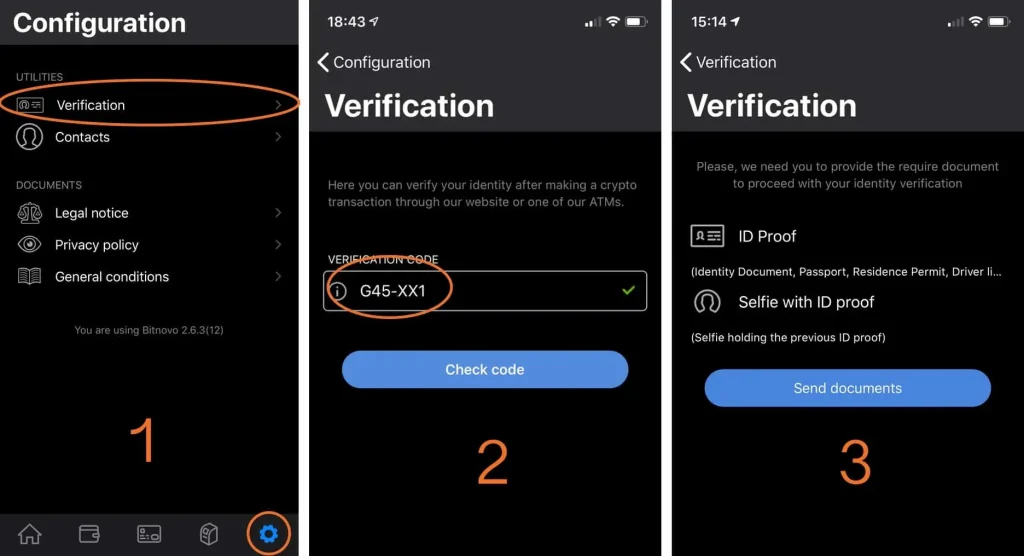
Once verified, you will be sent a 6 character verification code to be used with the Bitnovo phone app.

STEP 9

Download the Bitnovo app on your phone. Navigate to ``CONFIGURATION' then ``VERIFICATION`` and enter the 6 character code from your email, in step 6. Then follow the instructions to verify your identity by uploading the required documents.

STEP 10

Once your identity has been verified, you will receive a confirmation email and we will ship your order.

Credit Card & Bank Transfer

VISIT SWITCHERE

STEP 1

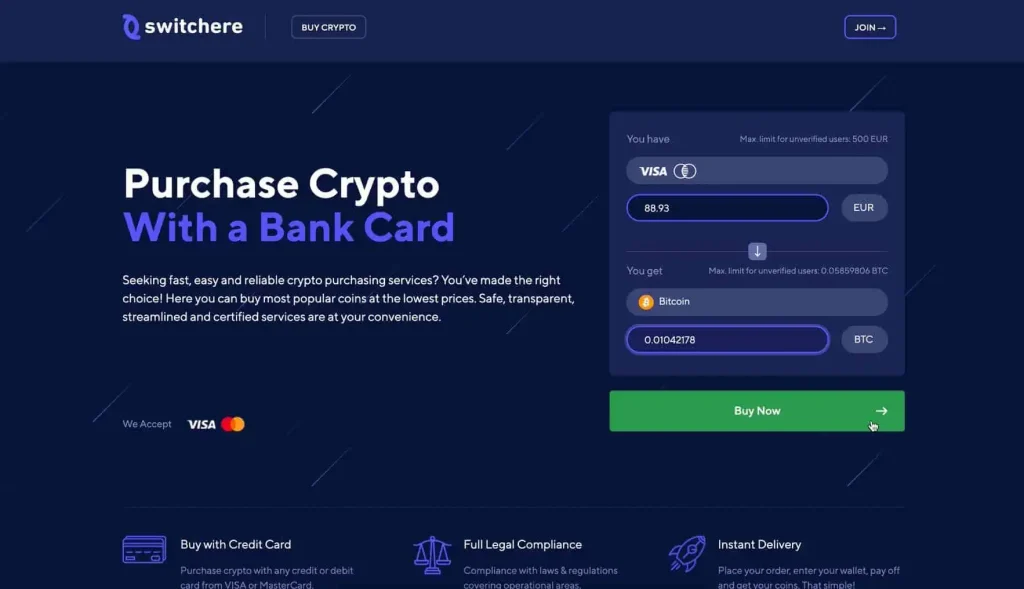
After receiving your ModaPharma invoice, visit Switchere.com, or click the button above.

STEP 2

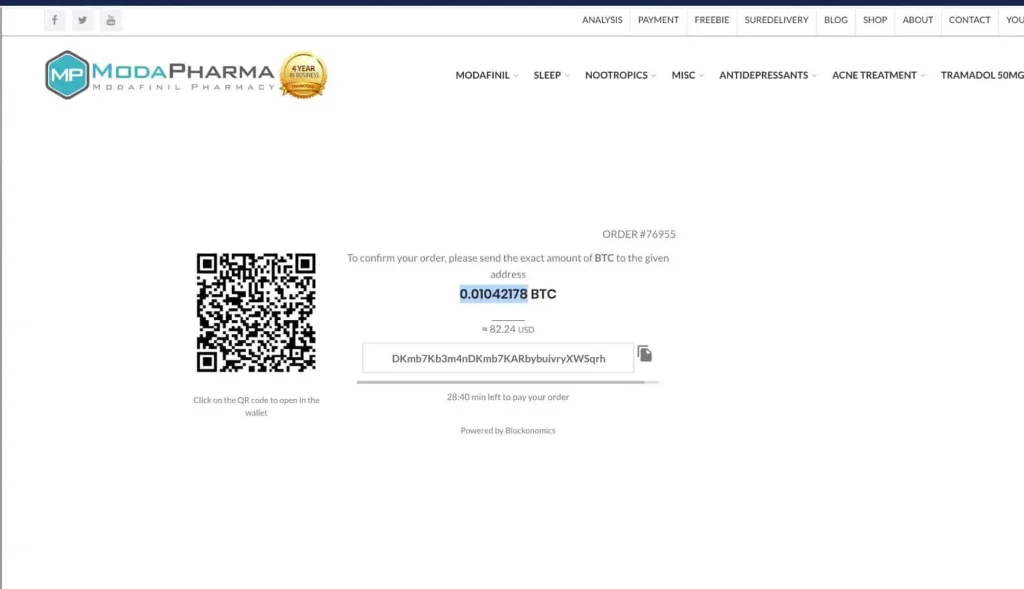
Please copy the BITCOIN AMOUNT from your ModaPharma invoice and PASTE it directly onto the Switchere.com page from step 1.

STEP 3

Double check you've entered the correct bitcoin amount and click ``BUY NOW``.

STEP 4

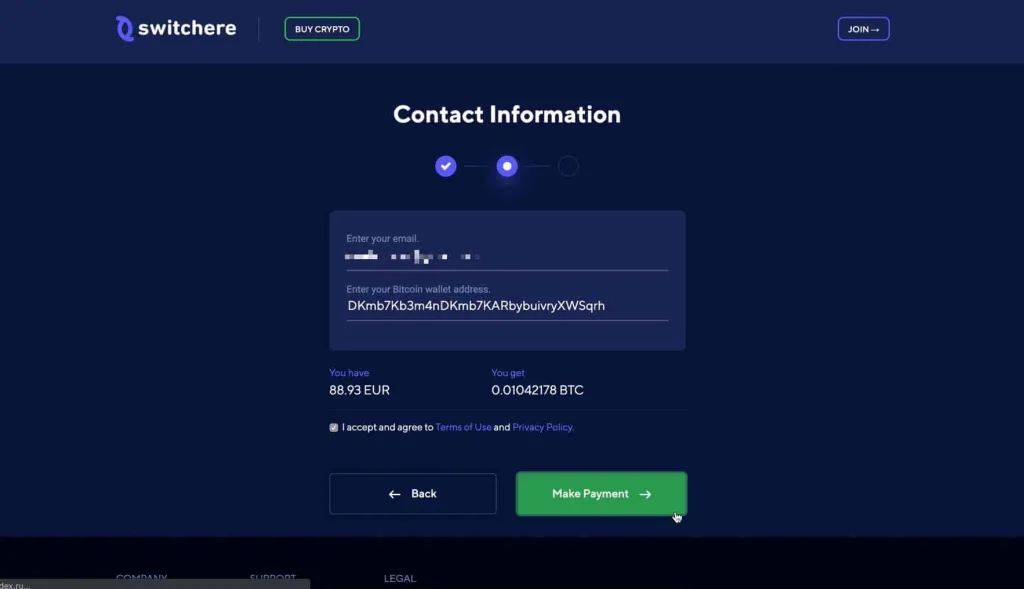
Enter your email address then navigate back to your ModaPharma invoice and copy over the BITCOIN ADDRESS and click ``MAKE PAYMENT``

STEP 5

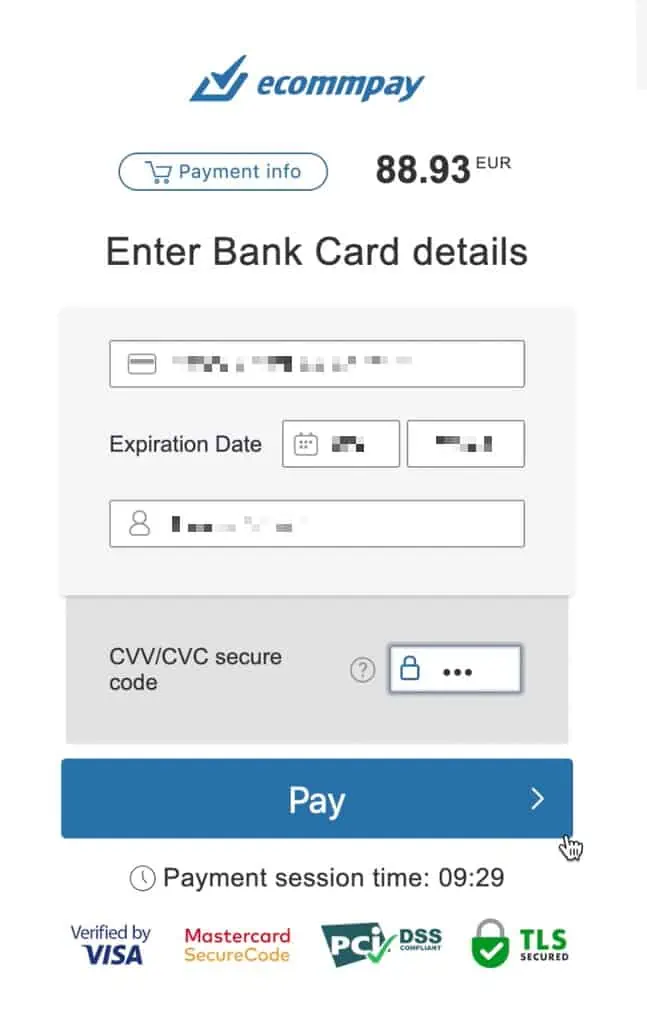
Fill in your card payment details and click ``PAY``.

STEP 6

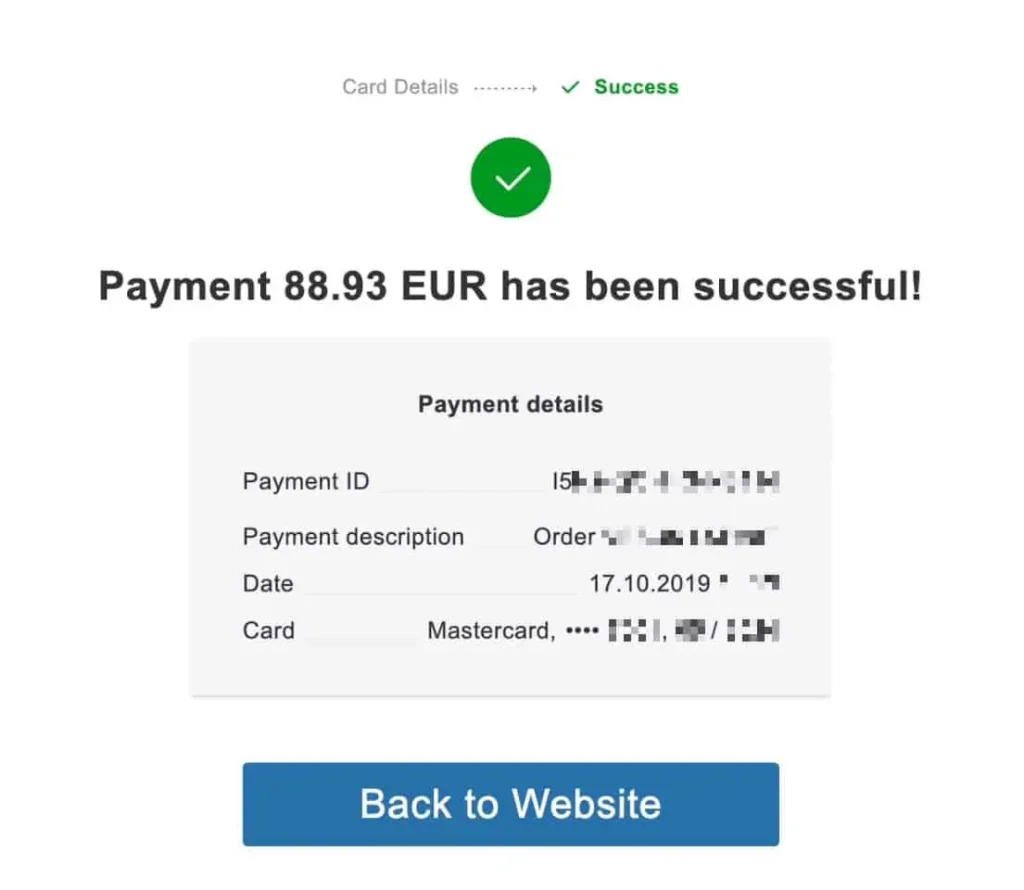
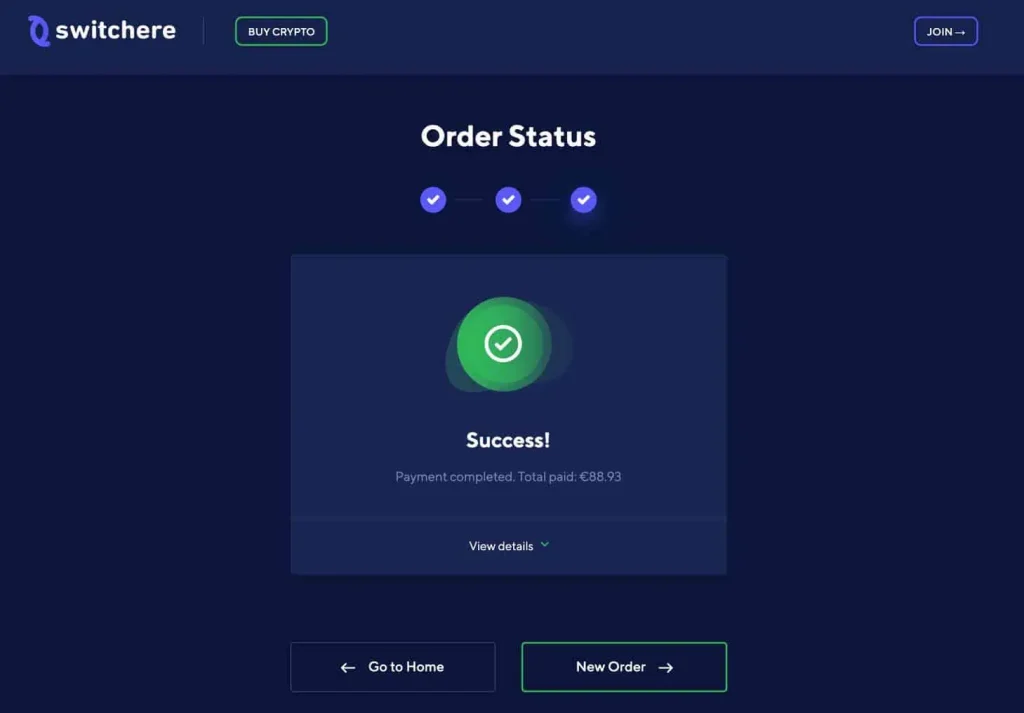
Please wait while your payment is processed, until you see this confirmation page.

STEP 7

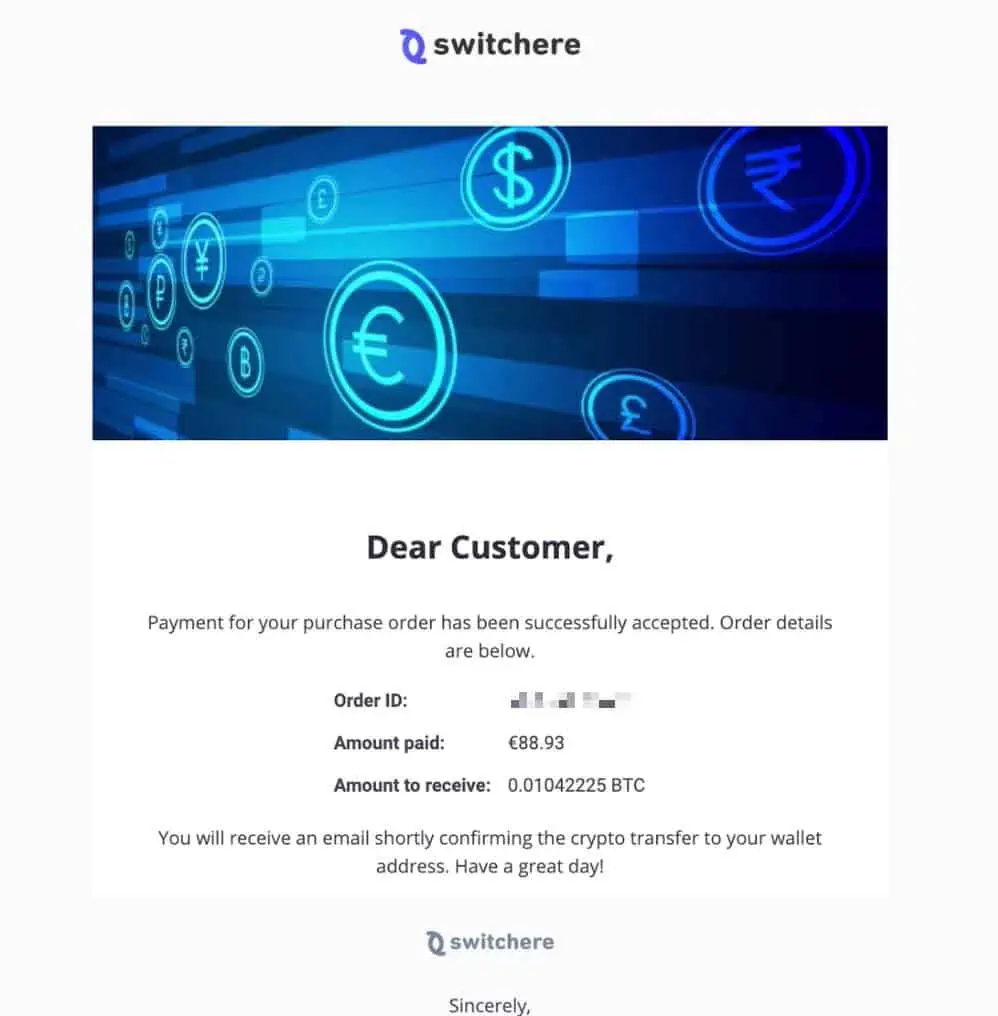
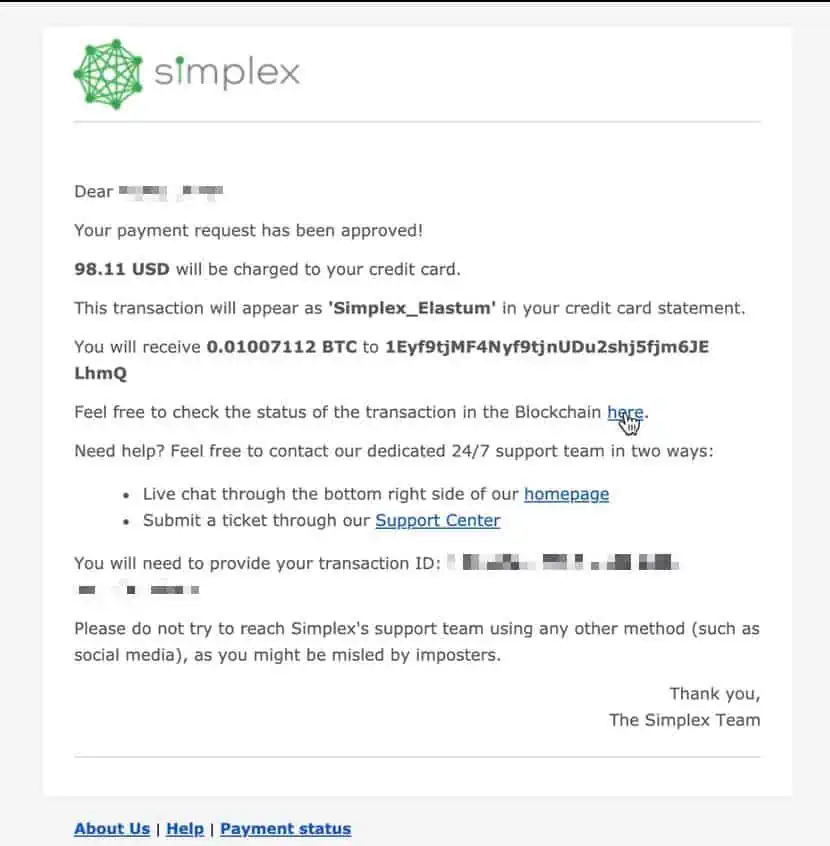
You will receive an email confirming that your payment has been received. Your card has now been charged.

STEP 8

Your order will also show confirmation with this ``ORDER SUCCESS`` page. Your order will now be shipped to you.

CRYPTO

BITCOIN PAYMENT

Copy and paste - the rest is a simple credit card payment.

Credit Card & Bank Transfer

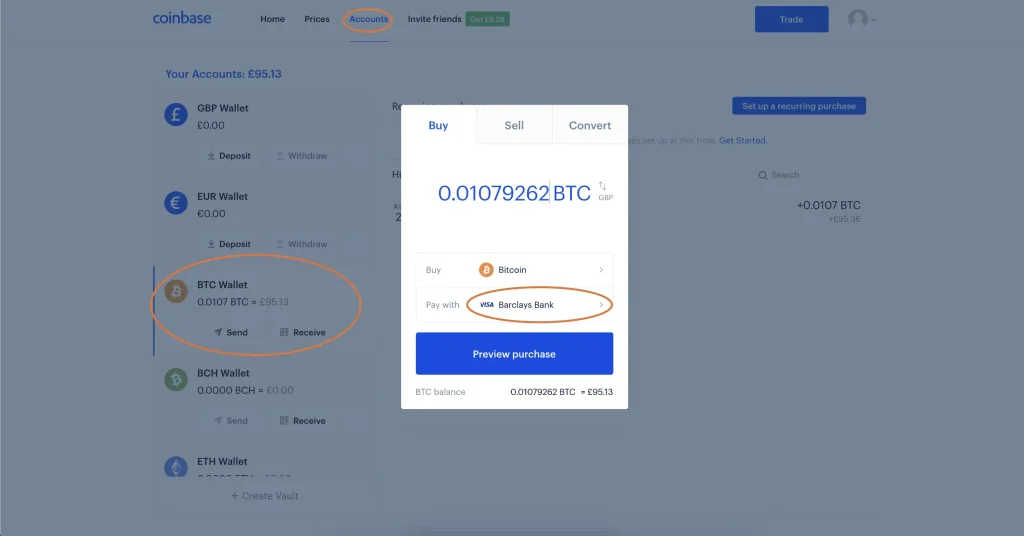
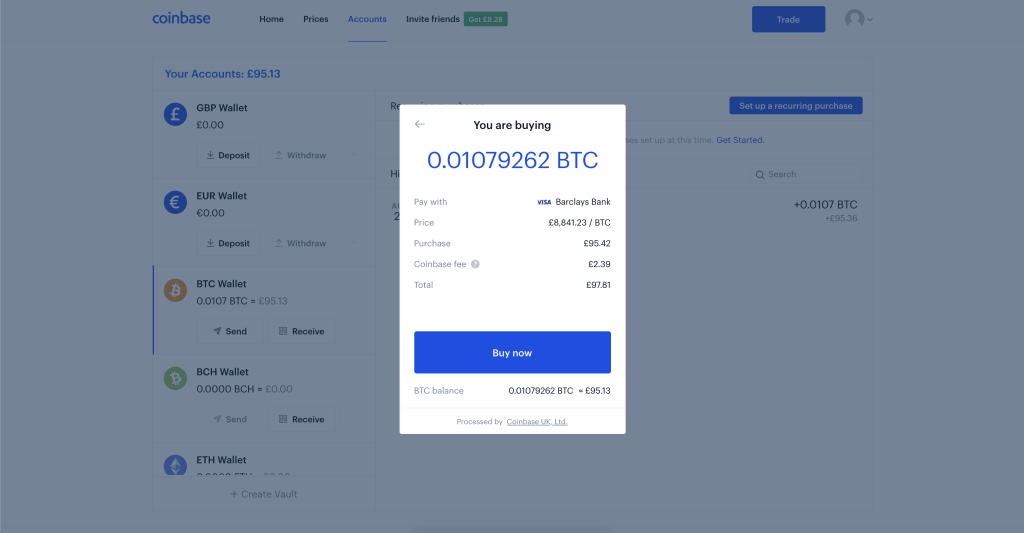
VISIT COINBASE

STEP 1

Visit Bitnovo.com/buy-criptocurrencies-bitcoin-en and enter the amount you would like to pay in EUROS, then select BITCOIN from the drop down and click ``BUY``.

STEP 2

Copy the BITCOIN ADDRESS from the ModaPharma invoice and PASTE it directly onto Bitnovo - where it says ``Your Wallet``. Then, enter your phone number and name, select ``DEBIT / CREDIT CARD`` and click ``CONTINUE``.

STEP 3

Enter your full name, date of birth and billing address, then click ``CONTINUE``.

STEP 4

Fill in your card payment details and click ``PAGAR``.

STEP 5

Please wait while your payment is processed, until you see this confirmation page.

STEP 6

You will receive an email confirming that your payment has been received. Your card has now been charged.

STEP 7

You will receive an email asking to validate your phone and email. Please REPLY to this email with the validation code sent to you via text.

STEP 8

Once verified, you will be sent a 6 character verification code to be used with the Bitnovo phone app.

STEP 9

Download the Bitnovo app on your phone. Navigate to ``CONFIGURATION' then ``VERIFICATION`` and enter the 6 character code from your email, in step 6. Then follow the instructions to verify your identity by uploading the required documents.

Credit Card & Bank Transfer

VISIT COINMAMA

STEP 1

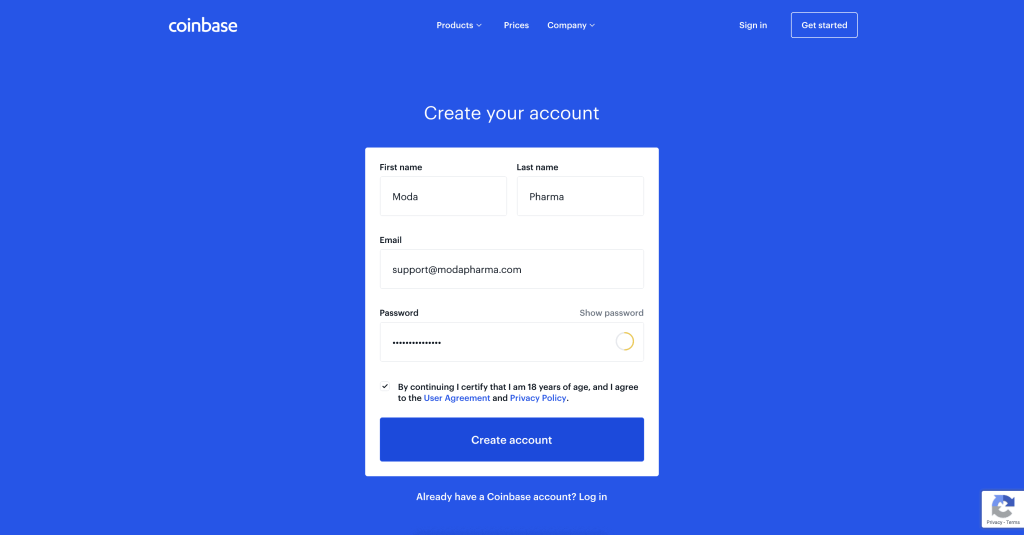
Visit coinmama.com/signup/. Enter your details and click ``CREATE ACCOUNT``

STEP 2

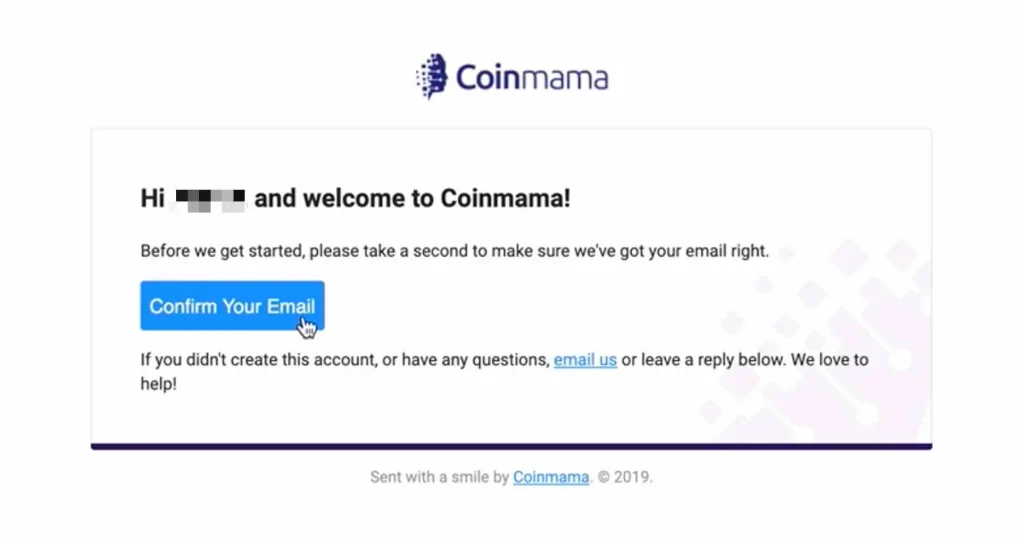
You'll now be prompted to verify your email. Please visit your email inbox.

STEP 3

Confirm your email address by clicking the link in the email.

STEP 4

Once prompted - please click ``VERIFY YOUR ACCOUNT``.

STEP 5

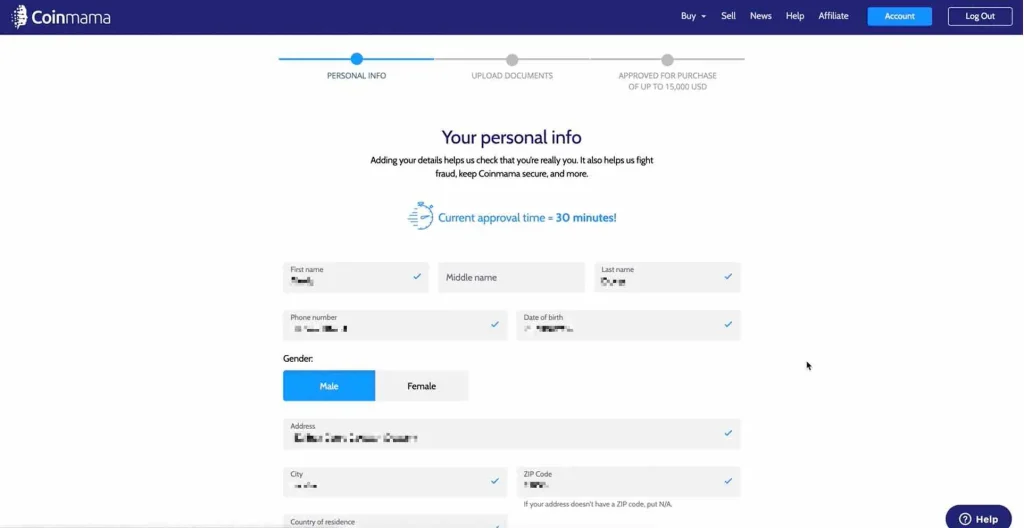
Enter your personal details.

STEP 6

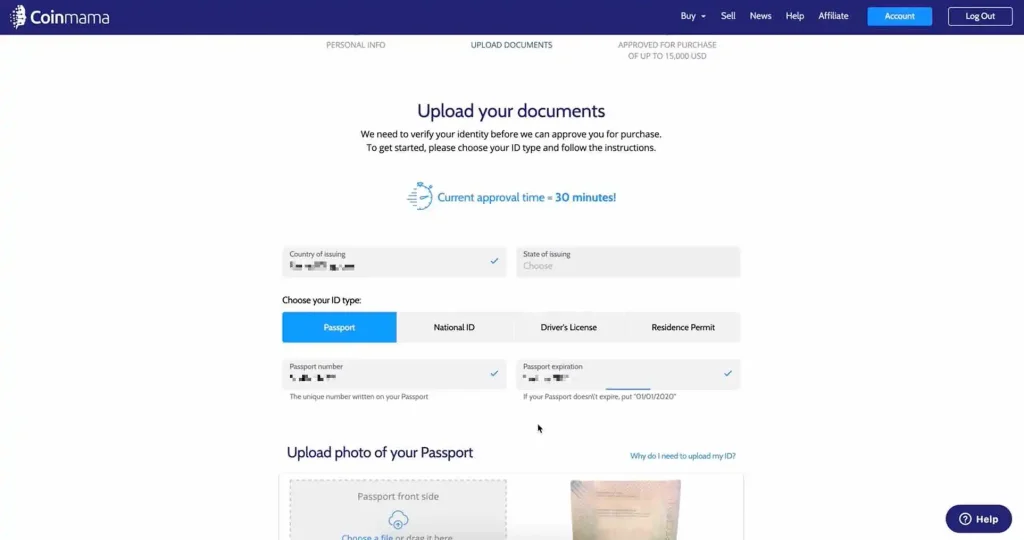
Verify your identity by uploading the personal identification documents requested.

STEP 7

Once submitted, it usually takes just 5-10 minutes for CoinMama to verify your documents, in our experience.

STEP 8

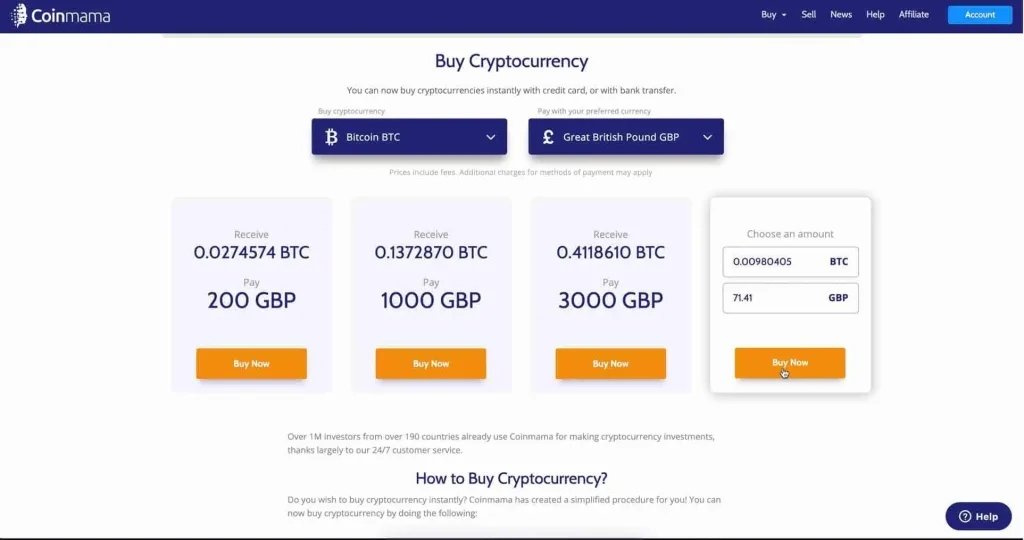
Now that you're verified, please click the ``BUY `` button to buy bitcoins.

STEP 9

Now navigate back to your ModaPharma invoice and copy the bitcoin AMOUNT exactly as it appears.

STEP 10

Navigate back to your coinmama page, select your currency, then PASTE the exact bitcoin AMOUNT from step 9 into the field provided and click ``BUY NOW``.

STEP 11

Navigate back to your ModaPharma invoice and copy the exact bitcoin ADDRESS.

STEP 12

Navigate back to your CoinMama page and paste the exact bitcoin ADDRESS from step 11, where indicated and click ``GO TO PAYMENT``. (please double check the bitcoin amount and bitcoin address match your invoice exactly)

STEP 13

Choose ``CREDIT or DEBIT CARD`` and click ``BUY WITH CARD``.

STEP 14

Enter your credit card details and click ``PAY NOW``.

STEP 15

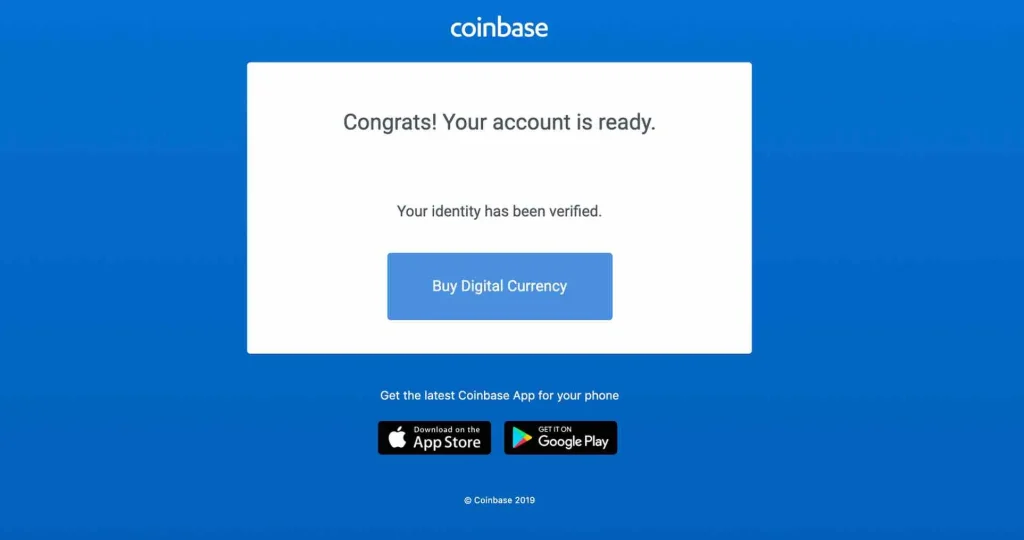
Visit your email inbox and verify your bitcoin address, by clicking the link provided in the email. Once verified, you'll see this confirmation page and your payment is complete.

STEP 16

Coinmama will mark your transaction as ``processing`` - with your bitcoins being sent in the following minutes. Your ModaPharma invoice will then show as PAID and you will see our confirmation page.

Credit Card & Bank Transfer

VISIT COINGATE

STEP 1

Copy the bitcoin ADDRESS and bitcoin AMOUNT from the ModaPharma invoice.

STEP 2

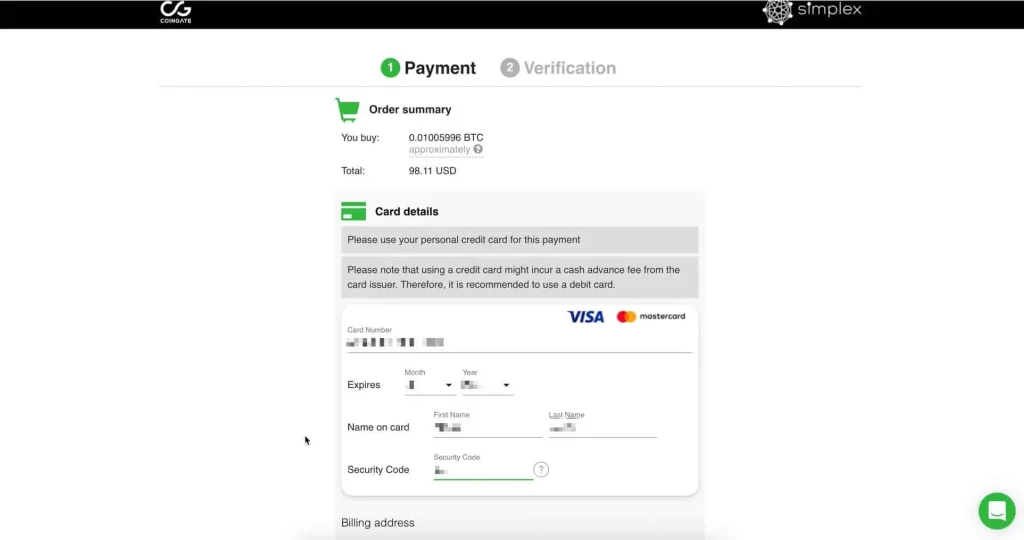
Visit buy.coingate.com/, or click the ``VISIT COINGATE`` button above. Paste the bitcoin AMOUNT and bitcoin ADDRESS from step 1 into the fields provided and click ``GO TO CHECKOUT``.

STEP 3

Enter your card details and billing address.

STEP 4

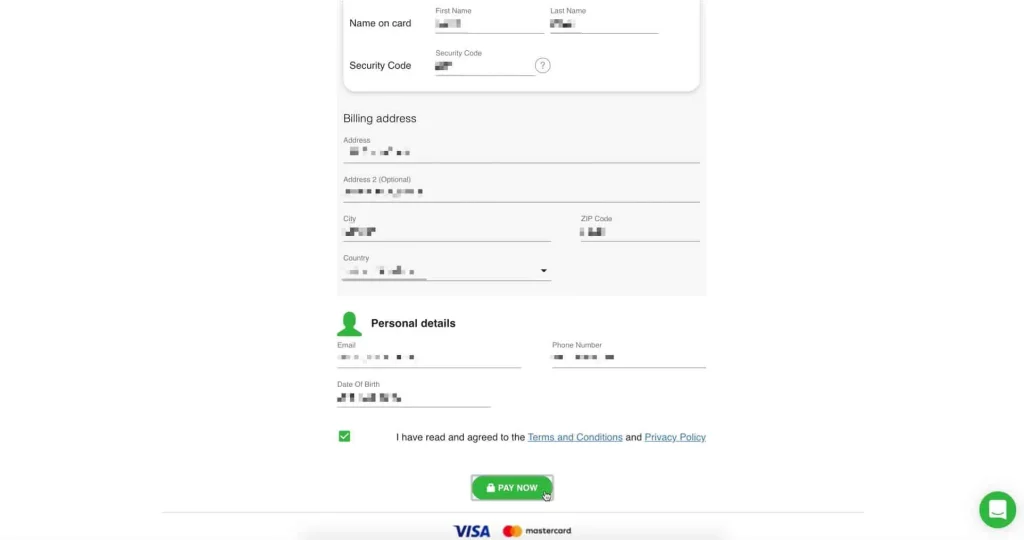
Enter your email, date of birth and phone number and click ``PAY NOW``. IMPORTANT: please make sure your phone number is correct as it will be needed for step 5.

STEP 5

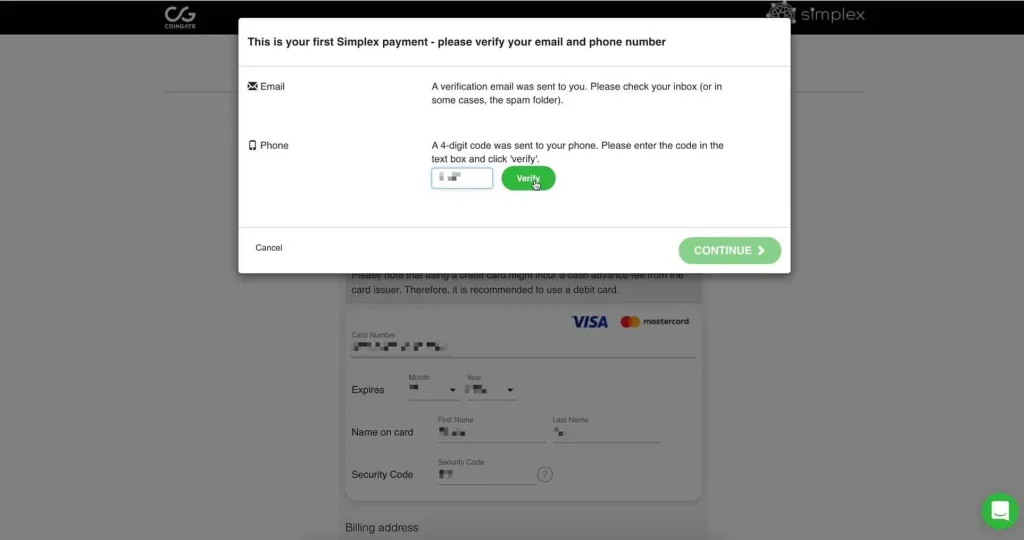
Enter the 4 digit code send to you by text message and click ``VERIFY``.

STEP 6

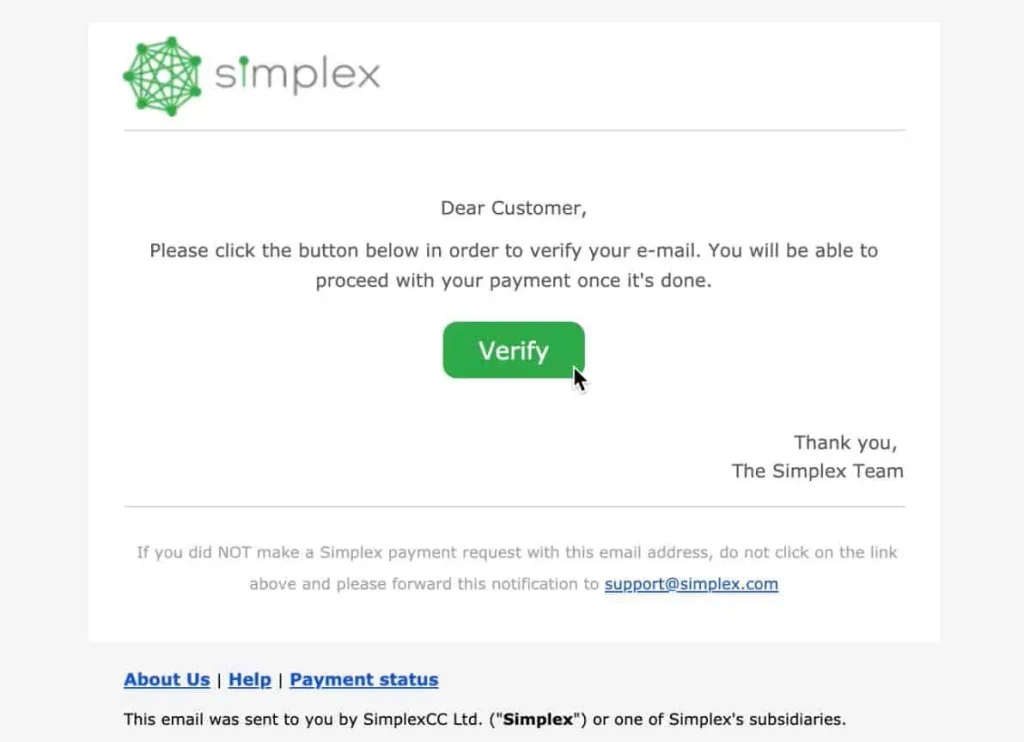
Verify your email address by clicking the link sent to your inbox from Simplex.com.

STEP 7

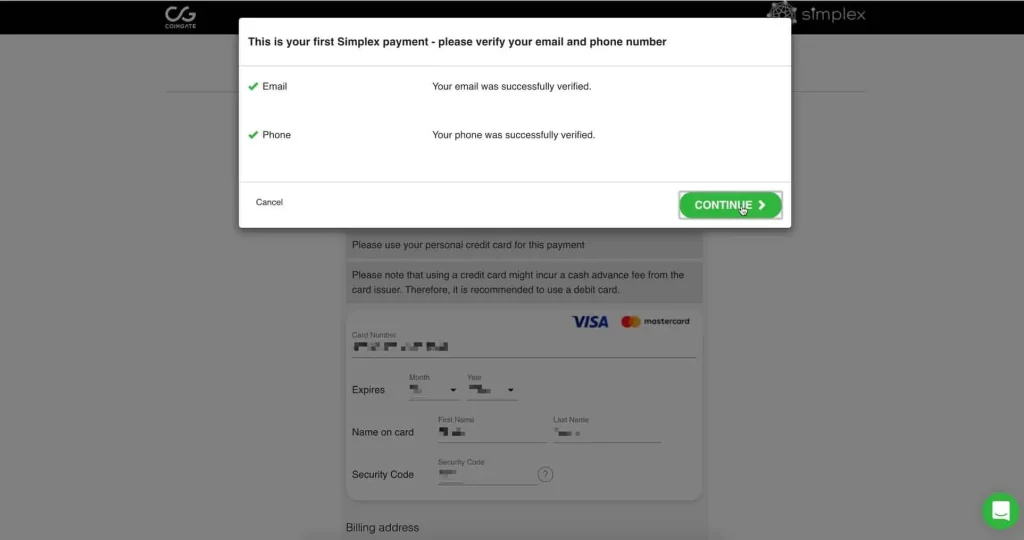
Once your email and phone have been verified, click ``CONTINUE``.

STEP 8

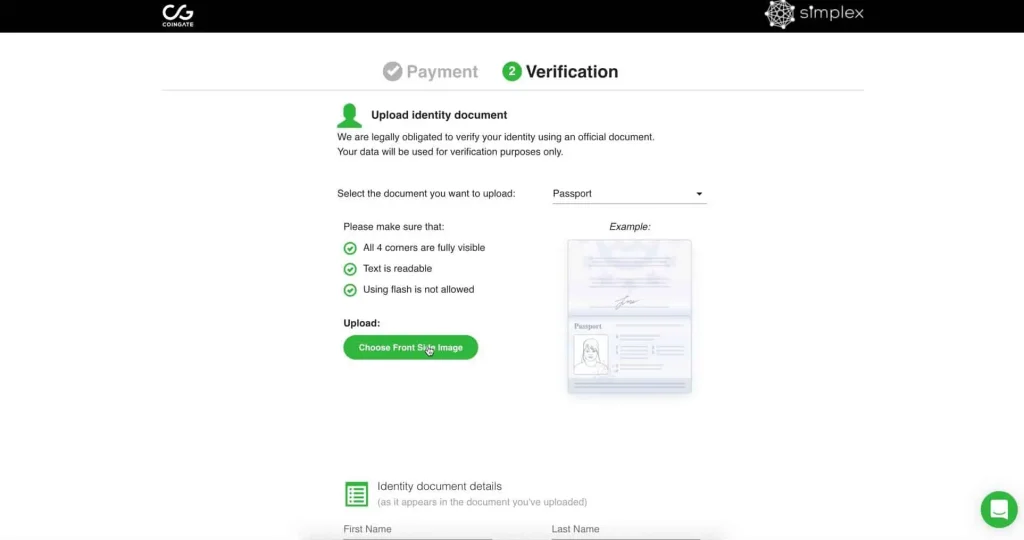
Upload your Identification document by clicking ``CHOOSE FRONT SIDE IMAGE``.

STEP 9

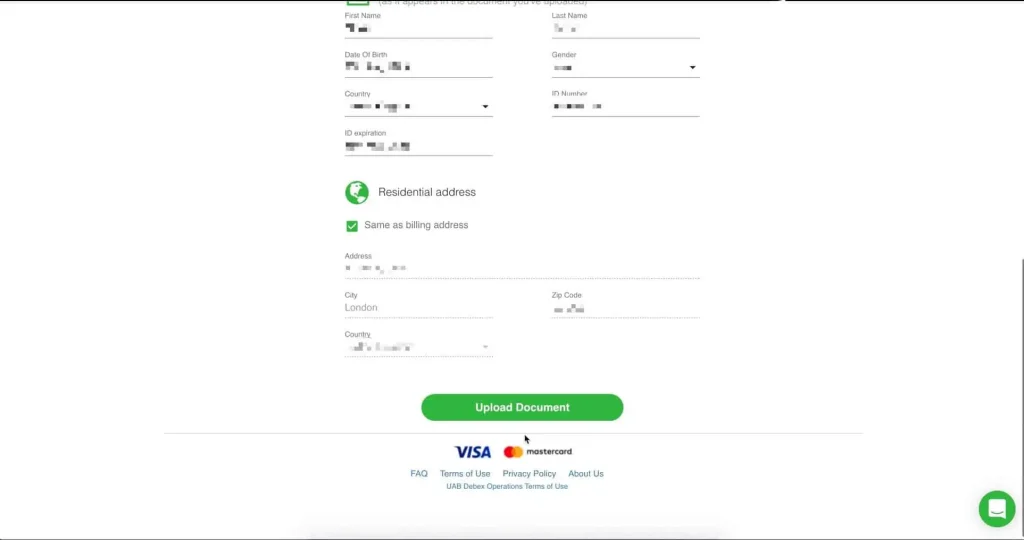
Enter your ID documents details and home address, then click ``UPLOAD DOCUMENT``.

STEP 10

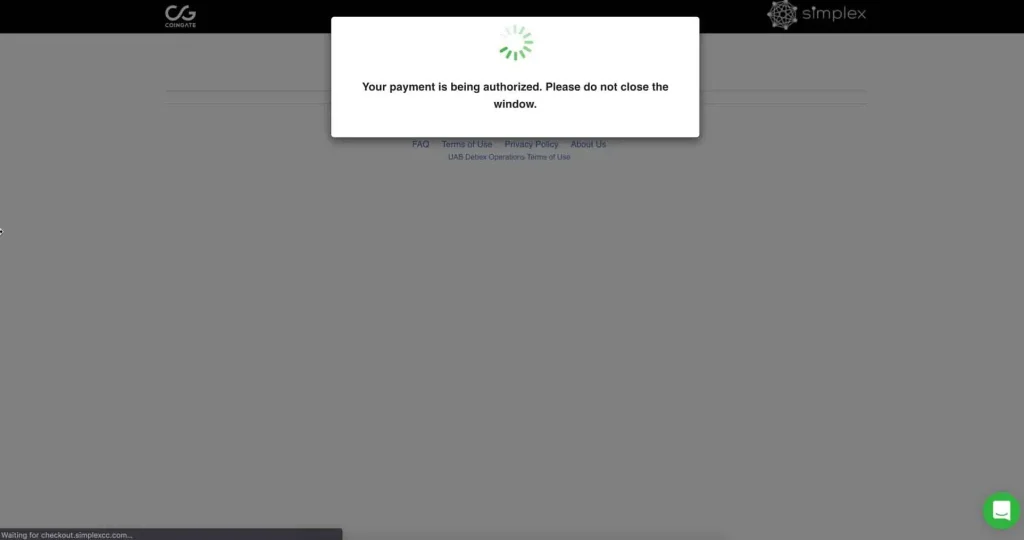
(Depending on your card type the following screen may ask for VISA or MASTERCARD's extra security steps.) Your payment is now being authorized, please wait.

STEP 11

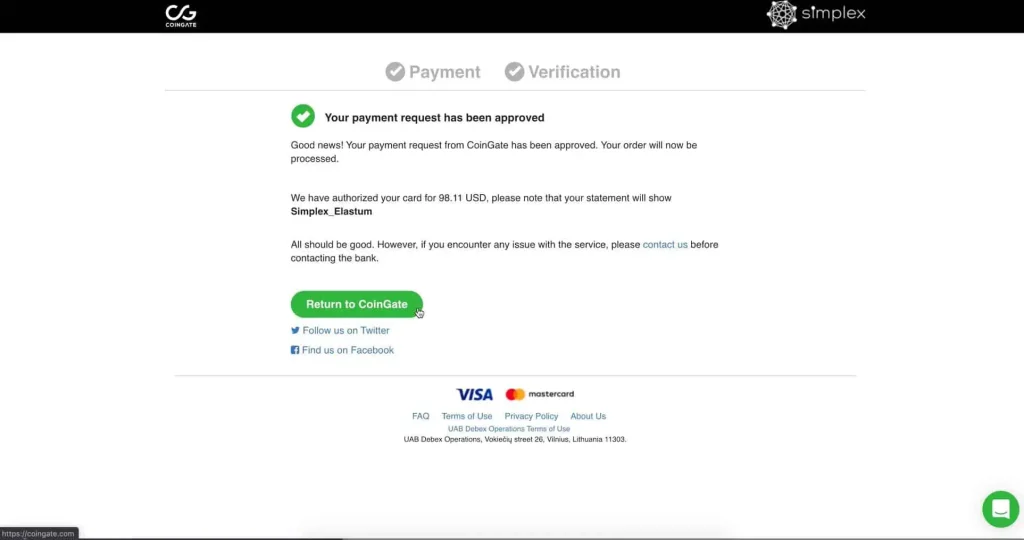
Your payment is now compete and once processed, you will receive a confirmation email and we will ship your order.

STEP 12

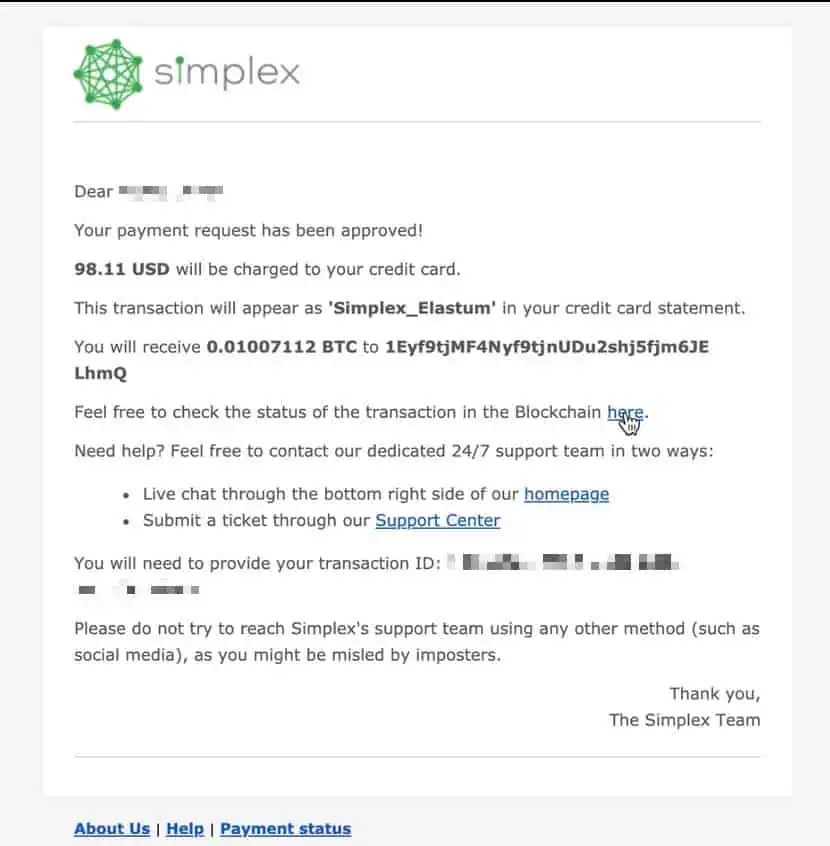
Please check your inbox. You will receive an email from Simplex indicating that your payment is being processed.

STEP 13

Once Simplex have verified your documents and processed your payment, your card will be charged and everything is done.

Bank Transfer

Send your payment via bank transfer to the bank details we provide via email.

EU

SEPA

European SEPA transfers complete in 1 working day.

You will receive the bank payment information in a separate email, after checkout.

You MUST include your unique payment reference in the transfer.

SEPA transfers will usually take 24 hours, Monday to Friday for EU CUSTOMERS ONLY.

Please note that bank transfers may take 1 – 3 days to process. Once your payment has been processed, we will ship your order.

 

INTERNATIONAL

SWIFT

International SWIFT transfers complete in 1- 3 working days.

You will receive the bank payment information in a separate email, after checkout.

You MUST include your unique payment reference in the transfer.

SEPA transfers will usually take 24 hours, Monday to Friday for EU CUSTOMERS ONLY.
Please note that bank transfers may take 1 – 3 days to process. Once your payment has been processed, we will ship your order.